Bip keeps it simple. It's all about the app. Upload Bip to your Apple Pay or Google Pay so you can pay for things in store using your phone. And you can buy stuff online or in app using your Bip details. You’ll find these in My account.
Using Bip
Helpful information on managing your Bip account.

What Is Bip?Getting BipUsing BipPaying Back Your BalanceManaging Your BipTalk To BipInterest Rate InformationUsing Offers & Discounts
Yes, Bip is secure. It’s all run from your phone, so there’s no card to worry about losing.
You’ve got a passcode and biometrics to keep your Bip account safe. You can use these with Apple Pay and Google Pay too. And the purchase protection of Mastercard.
There’s 24x7 fraud detection, so we’ll tell you if something doesn’t look right.
Apple Pay and Google Pay don’t have limits on how much you can spend in one go. A few shops have contactless limits of £100. You can only spend within your overall credit limit.
You won’t be charged interest on any purchases made during your last statement period, if you:
- repay your outstanding statement balance, including any balance transfers, money transfers, and purchase offers, by the payment due date, and
- you also paid your previous month’s outstanding statement balance in full by the due date.
One of the exceptions to this is cash transactions, for example buying foreign currency at a currency exchange. This will incur interest charges from the date of the transaction.
Have a look at your credit agreement for more information on how your interest works.
You can use Bip anywhere that takes Mastercard contactless payments, Apple Pay or Google Pay. Mastercard will apply a standard international exchange rate outside of the UK. Remember, no fees. Ever.
You won’t need to be online to spend when you’re out and about. But you’ll need the internet to get your Bip details from the Bip app to spend online.
Have a look at the Lost & Stolen Phone page. It's got all the information you need.
Changing your phone number won’t stop you using Bip.
Just make sure you call 03308380115* first. And to check it is you, the next time that you login, you’ll get a verification code sent to you by text.
This could be because you’ve put in the wrong passcode. Or maybe you’ve incorrectly logged in too many times. You can unlock your Bip account yourself by clicking 'Forgotten your passcode' when you try to log in.
It’s a good idea to keep your balance under 95% of your credit limit. For example, if your credit limit is £1000, try to stay below £950.
It’s important to remember that it’s not just things you buy with your credit card that can take you over your credit limit. Interest and charges can also mount up if they’re applied to your balance.
Also, when you use your credit card to buy something, the payment may not clear straight away. For example, if you buy clothes online the payment may only clear once your parcel’s been dispatched. This type of charge could take you over your credit limit when you weren’t expecting it.
If you register for our free SMS alerts, we’ll send you a message when you’re getting close to your credit limit.
If you go over your agreed credit limit, you’ll need to make a repayment as soon as you can to bring your balance back under your limit.
If your balance stays over your credit limit:
- You won’t be able to use your card until your balance is under your credit limit again
- You’ll lose any promotional rates you had
- We may need to let the credit reference agencies know you’re over your limit, which could affect your credit score
We’re here to support you.
If you’re struggling to make your payments, please chat with our friendly team in the Bip app. We can look at options for you.
We know that managing money isn’t always easy and sometimes extra help is needed. There are a range of organisations that offer free, independent money guidance and debt advice:
StepChange 0800 138 1111 Debt advice and fee-free debt management Money Helper 0800 011 3797 Information and tools to help manage your money Citizens Advice 0808 223 1133 Advice on finances, consumer rights, benefits and more National Debt Line 0808 808 4000 Debt advice, including specialist advice for self employed You’ll need to load Bip to your Apple Pay to start spending. But if you download Bip to a new phone, you might need to add it back to your Apple Pay wallet.
- For iPhone, open the Wallet app and tap the ‘+’ sign in the top right corner, then follow the instructions to add Bip to your wallet
- For Apple Watch, open the Apple Watch app on your iPhone and select ‘Wallet & Apple Pay’, then tap ‘Add Credit or Debit Card’
- For iPad, open Settings, select ‘Wallet & Apple Pay’, then tap ‘Add Credit or Debit Card’
- For MacBook Pro with Touch ID, open System Preferences, select ‘Wallet & Apple Pay’, then select ‘Add Card’
If you’re having trouble, take a look at the Apple website(Opens in new tab or window).
You’ll need to load Bip to your Google Pay to start spending. But if you download Bip to a new phone, you might need to add it back to your Google Pay.
- Open the Google Pay app
- Open the Payment tab
- Select ‘+ Payment method’
- Follow the instructions to add your card to your Google Pay app
Open your Apple wallet or Google Pay app and drag Bip to the front.
Some companies use cards for identity checks or to pre-authorise some purchases, like when hiring a car. Bip can do pre-authorisations via Apple Pay or Google Pay, and retailers may also accept seeing your name, unique Bip number and expiry date as proof of ID.
As a digital account, you’ll need to have access to your phone to use Bip on the go.
For making purchases online, you’ll still be able to use Bip via Apple Pay on Safari, or Google Pay on Chrome, as your Bip details will already be loaded in.
You won’t. Bip is credit without a card, so you won’t need to wait around for any pointless plastic to arrive before you can start using it. It’s all loaded on the app and goes straight into your Google Pay or Apple Pay.
Bip is made for digital purchases on the go, so you can’t use it to withdraw cash like you may be able to with other credit accounts. But it’s something the good folk over at Bip are looking in to.
You can use contactless in many places across the world. Like any tech, it might be a while before you’ll be able to use it wherever you go.
Cash-related transactions include:
- Wire transfers
- Buying foreign currency
- Investing or trading
- Charitable donations
- Payments to other financial services (such as Klarna, Creation Finance, Samsung Finance, etc.)
Yes, but you'll be charged interest from the date of the transaction. We may also need to notify credit reference agencies (CRAs) if you use Bip for cash-related payments.
To find out more, have a look at your terms and conditions.
*Calls are charged at a standard national rate. Call costs from mobiles and other operators may vary so please check before calling. Our lines are open 9am to 6pm Monday to Friday. 9am to 4pm Saturday. Calls may be recorded and monitored for training and security purposes and to help us manage your account.
Can't find what you are looking for?
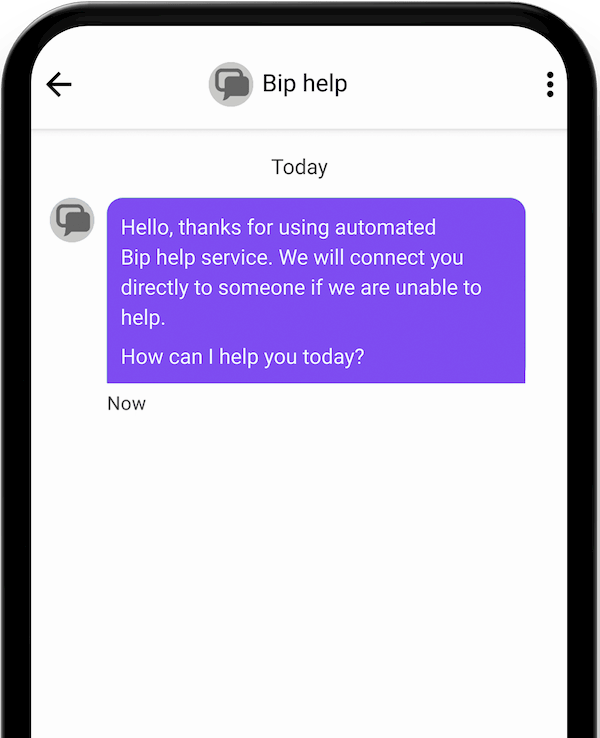
Message the Bip team
You can ask a question whenever you like through your Bip app. Open your Bip app and head to need help > message the Bip team.